
Mesh Wi-Fi vs. Traditional Routers:
Which Is Right for Your Home?
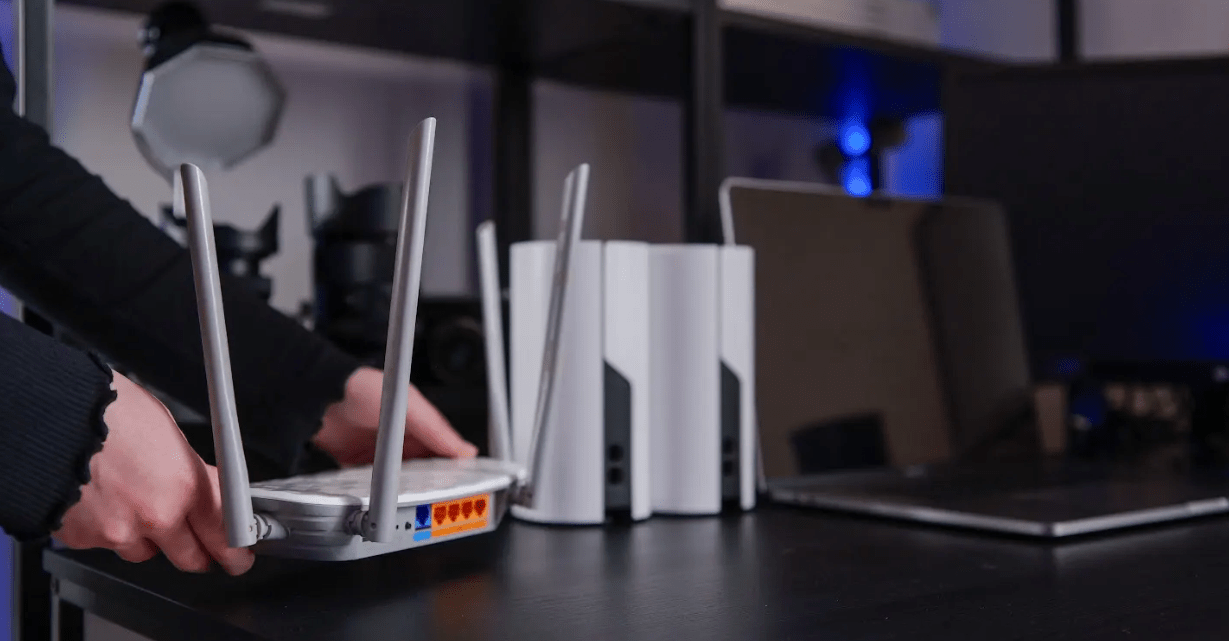
If your Wi-Fi feels strong in one room but weak in another, your first thought might be that you need a faster internet plan. Sometimes that may be true. But often, the issue has less to do with the internet coming into your home and more to do with how that connection moves through your home.
That is where your router setup matters.
Most homes use either a traditional router or a mesh Wi-Fi system to connect devices wirelessly. Both can help you get online, but they work a little differently. Understanding the difference can help you decide whether your current setup still fits your home or whether it may be time for stronger whole-home coverage.
Start with what your router actually does
For fiber internet customers, the connection comes into the home through equipment like an Optical Network Terminal, also called an ONT. The ONT helps bring the fiber connection into your home. From there, your router helps share that connection with the phones, laptops, TVs, tablets, gaming systems, and smart home devices in your home.
That is why your internet plan and your Wi-Fi experience are connected, but they are not exactly the same thing. You may have a strong connection coming into your home, but if your router is not placed well, your equipment is outdated, or your home layout makes coverage difficult, your Wi-Fi may still feel inconsistent.
What is a traditional router?
A traditional router is usually one main device that sends Wi-Fi throughout your home from a single location.
For many households, this works well. If your home is smaller, more open, or your router is located near the center of the house, a traditional router may be enough to keep your devices connected without much trouble.
Placement matters, though. A router tucked away in a closet, basement, cabinet, or behind furniture may not be able to send a strong signal throughout the house. Wi-Fi has to move through walls, floors, doors, furniture, and distance. The farther your device is from the router, the more the signal may weaken.
That does not automatically mean something is wrong with your internet service. It may simply mean your router is having a hard time reaching every part of your home.
What is mesh Wi-Fi?
Mesh Wi-Fi uses multiple devices or access points to help extend Wi-Fi coverage throughout the home.
Instead of relying on one router to cover every room from one location, a mesh setup helps spread the signal into areas that may be harder for one router to reach.
Mesh Wi-Fi can be helpful in larger homes, multi-level homes, homes with thick walls, or homes where the router cannot be placed in a central location. It can also help in households where people use the internet in several rooms at the same time.
Mesh Wi-Fi does not create a new internet connection. It helps distribute the connection you already have more effectively throughout the home.
That said, more mesh units does not always mean better Wi-Fi. A mesh setup works best when it is sized and placed correctly for your home. If too many units are used, or if they are placed too close together, devices may bounce between signals, which can lead to lag, slower speeds, or random drop-offs.
Coverage is the biggest difference
The simplest way to think about the difference is this: a traditional router sends Wi-Fi from one main spot, while mesh Wi-Fi helps spread Wi-Fi through multiple points.
If your Wi-Fi feels strong near the router but drops off in bedrooms, upstairs areas, basements, home offices, or other spaces farther away, the issue may be coverage. In that case, addingwhole-home Wi-Fi support may make a bigger difference than upgrading your speed plan.
Which setup is right for your home?
A traditional router may be the right choice if your home has a simple layout and your Wi-Fi works well in the places you use it most. For standard sizedhomes or apartments, one well-placed router may be all you need.
Mesh Wi-Fi may be a better fit if your home has consistent weak spots or if your router cannot reach the places where you use the internet most. This can happen in larger homes, multi-story homes, homes with thick walls, or homes with unusual layouts.
Mesh Wi-Fi may also make sense if your household has grown or your internet habits have changed. A setup that worked a few years ago may not feel as smooth now if you have added more streaming, remote work, online gaming, video calls, security cameras, smart TVs, tablets, or other connected devices.
Why a Beehive GigaSpire Router makes the difference
Whatever setup is right for your home, having a Beehive GigaSpire is what makes the whole experience smoother. If something feels off with your Wi-Fi, our team doesn’t need to schedule a truck roll to find out why. We can run a remote Wi-Fi analysis, push software updates, troubleshoot device-by-device, and fix most issues from our side, without you having to wait around for a tech to show up. If your GigaSpire ever fails, we swap it out at no cost.
Beehive’s Managed Wi-Fi includes the GigaSpire Wi-Fi router, CommandIQ app access, remote support and software updates, Wi-Fi 6 technology, device connection assistance, Wi-Fi analysis, free repair or replacement, and whole-home coverage extension.
With the CommandIQ app, you can manage your network name and password, create guest networks, see every device connected to your home, and control which ones have internet access. For families who want more, ExperienceIQ adds parental controls and personalized rules for websites, apps, and games across every device.
The goal isn’t just a fast connection coming into your home. It’s a setup that delivers that connection to every room, and a partner who can step in remotely when something feels off.
Ready to get connected?
Check if faster speeds are available at your address or contact our team at 844-390-3310 to learn more about optimizing your service with Beehive’s Managed WiFi.
Your home deserves the best connection. Beehive makes it happen, start to finish.
SIGN UP
NOW
Areas we serve.
Utah
Bear River, Bothwell, Brigham City, Bullfrog, Caineville, Callao, Cedar Highlands, Centerville, Clearfield, Elwood, Enterprise, Erda, Eskdale, Gandy, Garrison, Gold Hill, Grantsville, Grouse Creek, Howell, Ibapah, Kelton, Kolob, Lake Point, Layton, Lehi, Lindon, Lofgreen, Lucin, Lynn, Marble Hill, Mantua, Midvale, Morgan, Mountain Green, Murray, Notom, Orem, Park City, Park Valley, Partoun, Payson, Perry, Petersen, Penrose, Pleasant Grove, Porterville, Providence, Rush Valley, Sandy Ranch, Skull Valley, SLC(Avenues), Snake Valley, Snowville, Stansbury, Stockton, Terra, Thatcher, Ticaboo, Tooele, Tremonton, Trout Creek, Vernon, Wendover, West Haven, West Point, West Valley City, Woodland Hills
Nevada
Burbank, Deeth, Elko, Goshute, Independence, Marys River, Montello, Moor, Oasis, Pilot Valley, Pleasant Valley, Wells, West Wendover